
Review · ICE BAR & INDOOR ATTRACTIONS
Omni VR – Multiplayer Virtual Reality
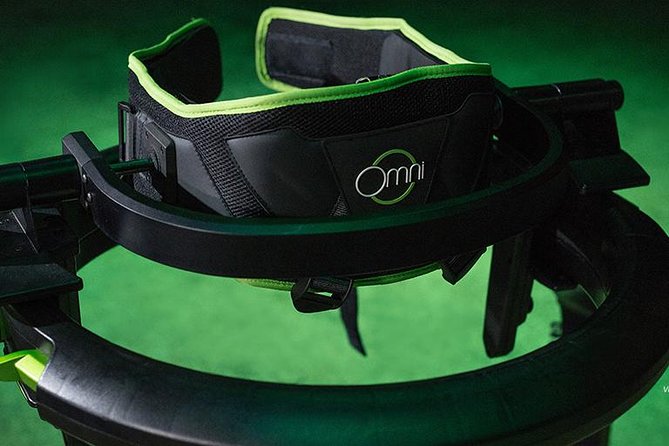
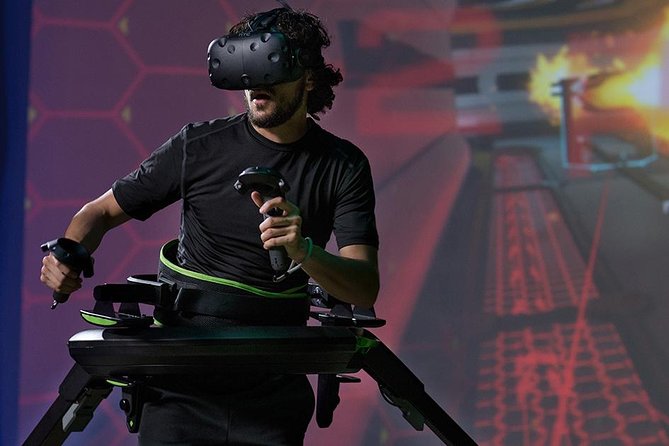
VR in Queenstown feels like real movement. Omni VR mixes multiplayer games with running shoes and headset audio so you’re not just watching the screen—you’re acting in it.
Two things I really liked: the staff-led setup that keeps you on track, and the variety of game modes that let you switch from co-op to competition. The main consideration is that the experience has height and weight limits, so it won’t work for everyone.
It’s also a smart break from the usual Queenstown routine. With headsets that let you chat through built-in speakers and a center that’s easy to access, you can turn a rainy hour into something active and different. One possible drawback: at around 40 minutes, you’ll want to choose the right game category so you get maximum fun in the time you have.
In This Review
- Quick take: what makes Omni VR worth your time
- Omni VR and the running-shoes idea (it’s the whole point)
- Where you’ll start: Thrillzone Queenstown on Shotover Street
- What the 40-minute session actually feels like
- Multiplayer play: team up or compete with the people you came with
- Choosing your game: zombie, haunted, and shooting missions
- The staff help matters more than you think
- Price and value in Queenstown terms
- What to consider before you go (height, weight, and physical expectations)
- Practical tips that make your session smoother
- Who this is best for (and who might skip it)
- FAQ
- FAQ
- How long is the Omni VR multiplayer experience in Queenstown?
- Where do I meet for Omni VR?
- What’s the price per person?
- Do I need to bring any VR equipment?
- What kinds of games can I play?
- Are there height or weight requirements?
- Can I communicate with other players during the game?
- Is there a limit to how many people can join?
- What’s the cancellation policy?
- Should you book Omni VR in Queenstown?
Quick take: what makes Omni VR worth your time
- Run-in-VR shoes make the virtual action feel physical
- Multiplayer headsets with speakers help you talk during missions
- Pick your vibe with options like zombie, haunted, and shooting styles
- Small group size (max 4) keeps the session feeling personal
- All gear provided means you show up ready to play
- Green screen photos are optional if you want a souvenir add-on
Omni VR and the running-shoes idea (it’s the whole point)
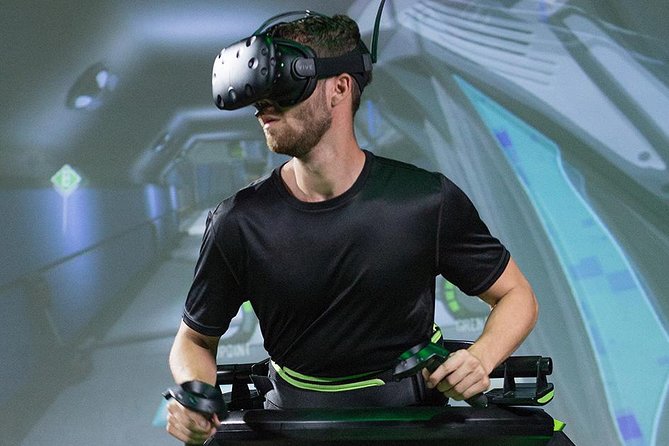
The biggest difference with Omni VR is that it’s built around physical motion. You wear special shoes so your body can do the running part while the VR games do the rest.
That changes the feel from typical “stand there and wave a controller” VR. You’re moving more, you’ll notice your heart rate, and you’ll probably laugh at yourself a bit when the game demands speed. It’s also a neat way to burn an hour without planning a whole hike.
Other rainy-day rooms, from the Ice Bar to VR
- Queenstown: Minus 5 Ice Bar Experience with Drink Options
★ 4.7 · 592 reviews - Fear Factory Queenstown
★ 4.5 · 248 reviews - Queenstown: Ice Bar Entry with Warm Winter Gear and Drink
★ 4.8 · 162 reviews - Queenstown: Hidden Underwater Theatre Experience
★ 4.5 · 135 reviews
Where you’ll start: Thrillzone Queenstown on Shotover Street
Your session starts at Thrillzone Queenstown, 53 Shotover Street. This is convenient if you’re already in central Queenstown, and it also helps that it’s near public transportation if you’re not driving.
Bring a sense of humor, not a lot of gear. You don’t need to bring anything for the VR setup—equipment is provided, and you’ll be guided through it on arrival. The experience ends back at the same meeting point, so you’re not stuck figuring out transport after you’ve worked up a sweat.
What the 40-minute session actually feels like
The experience runs about 40 minutes. That time gets used for getting you fitted, explaining what to do, then playing the VR game(s) you select.
This isn’t a “wander around and try random tech” setup. The session is structured, and the staff stay close to make adjustments where needed. That’s especially helpful if it’s your first time with VR, or if you’re playing with kids or mixed experience levels.
Multiplayer play: team up or compete with the people you came with
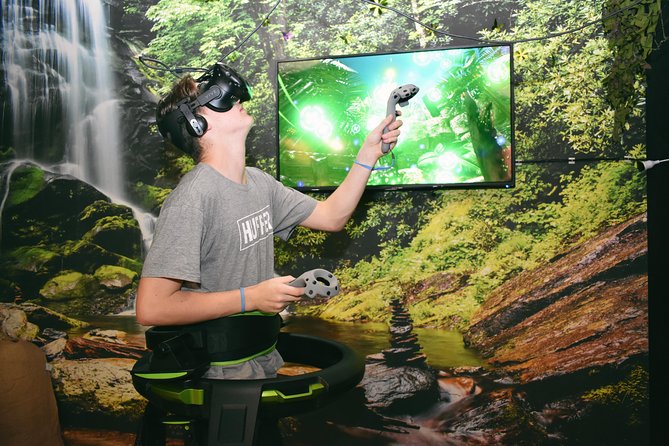
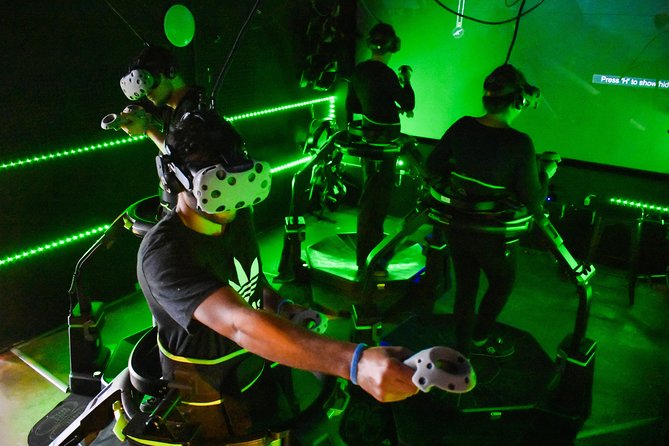
Omni VR is designed for single or multiplayer sessions, and you get to choose whether you play as a team or compete. Because the group is capped at 4 travelers maximum, the dynamic stays tight rather than turning into a big waiting game.
Communication is part of the experience. The headsets include integrated speakers, which means you can talk with your group while you’re in the game. It’s a small feature, but it makes a big difference for coordination, especially in mission-style games where timing matters.




Choosing your game: zombie, haunted, and shooting missions
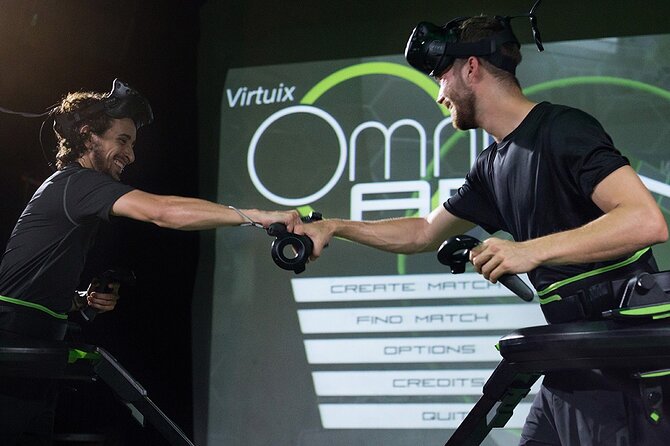
You’ll have options to match your mood. The general categories include zombie apocalypse, a haunted house, and shooting mission style games.
A smart way to pick: think about what kind of challenge you want for this specific hour. If you want laughs and teamwork, horror-style games can work well because you’re reacting together. If your group prefers clear goals and action, shooting missions tend to feel more straightforward.
If you like escape-style formats, you may spot VR escape quests in the mix as well. People seem to enjoy the “solve and escape before time runs out” style because it gives you a finish line you can rally around.
The staff help matters more than you think
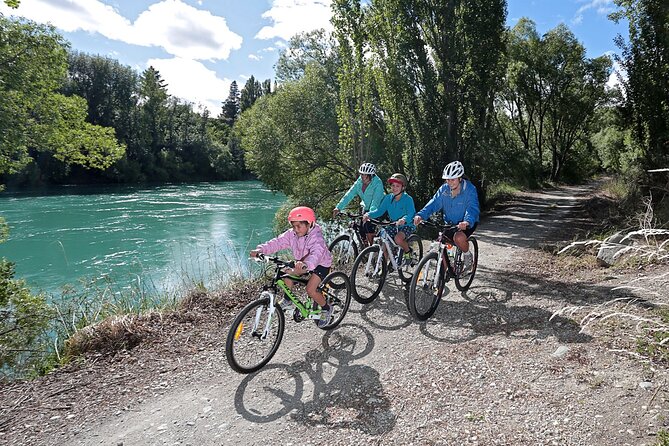
One reason the experience gets such a high rate is how much attention the staff give during setup and play. In particular, I liked the pattern that shows up in real stories: hosts guide you through what you need to do, stay present the whole time, and adjust when something isn’t working for your group.
You’ll also find that the team pays attention to age-appropriate game selection. Names like Bea, Paige, and Nic show up in people’s experiences for being friendly, helpful, and willing to step in at the right moment when players get stuck. That kind of support is worth it, because it prevents the session from turning into frustration.
Price and value in Queenstown terms
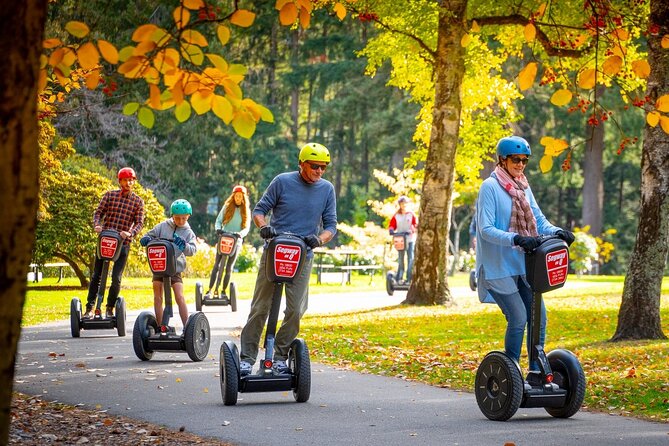
At $40.34 per person for about 40 minutes, Omni VR isn’t the cheapest thing you can do in Queenstown. But for what you’re getting, it’s close to a fair value: equipment included, staff guidance, and a structured multiplayer game experience.
Compare it to other rainy-day options. This is time-based fun that gets you moving, not just sitting. If you’re splitting with friends or family, the small group size can also make it feel more “worth it,” because you’re not blending into a crowded schedule.
If you’re on a tight budget, treat it like your one “activity-hour” pick for the day. Plan it so you’re not trying to stack too many paid activities back-to-back—you’ll appreciate the focused time.
What to consider before you go (height, weight, and physical expectations)
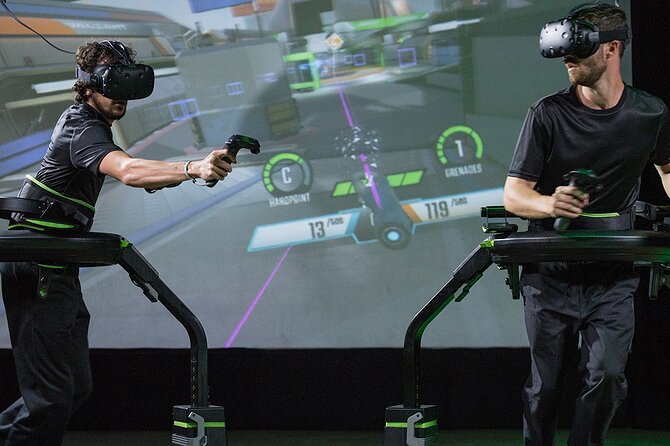
Omni VR has clear physical requirements. You’ll need to be between 1.40 m and 1.95 m in height, and there’s a maximum weight of 130 kg.
If you fit those limits, you should be fine—but the running-shoes element does mean you’ll be on your feet and moving. I’d think of it as active entertainment, not a calm sit-down attraction.
Good news: it says most travelers can participate, and service animals are allowed. It’s also a mobile ticket experience, so you can keep things simple on your phone.
Practical tips that make your session smoother
You don’t have to bring equipment, but you should bring the right mindset. Go in with room to move and expect to follow directions quickly.
A couple of practical choices that can affect your enjoyment:
- Pick a game that matches your group’s energy level, because you only get about 40 minutes
- If you’re playing with mixed experience, choose options that won’t punish beginners too hard
- If your group includes kids, ask for age-appropriate guidance from the team during setup
There’s also an optional souvenir you might hear about: green screen photos are available for purchase. If that appeals, great. If not, you can ignore it and focus on the mission.
Who this is best for (and who might skip it)
This works especially well if you want something different from typical Queenstown sightseeing. It’s great for people who like interactive challenges, couples who want a shared “beat the game together” moment, and families looking for a rainy-day activity that doesn’t involve screens on a couch.
It’s also a strong pick for small groups because the session is limited to up to 4 travelers. That helps the staff give attention, and it keeps the multiplayer vibe fun rather than chaotic.
I’d reconsider if your group includes anyone who can’t meet the height/weight limits, or if someone in your party isn’t comfortable with running and active movement.
FAQ
FAQ
How long is the Omni VR multiplayer experience in Queenstown?
It runs for about 40 minutes (approximately).
Where do I meet for Omni VR?
You meet at Thrillzone Queenstown, 53 Shotover Street, Queenstown 9300, New Zealand. The activity ends back at the same meeting point.
What’s the price per person?
The price is $40.34 per person.
Do I need to bring any VR equipment?
No. All gear is provided.
What kinds of games can I play?
You can choose from different game options, including zombie apocalypse games, haunted house games, and shooting mission games.
Are there height or weight requirements?
Yes. Height must be between 1.40 m and 1.95 m, and weight has a maximum limit of 130 kg.
Can I communicate with other players during the game?
Yes. The VR headsets have integrated speakers, so you can talk to others while you play.
Is there a limit to how many people can join?
Yes. This activity has a maximum of 4 travelers.
What’s the cancellation policy?
Free cancellation is available up to 24 hours in advance for a full refund. Within 24 hours, refunds aren’t provided.
Should you book Omni VR in Queenstown?
If you want an active, guided, multiplayer break from the usual Queenstown routine, I’d book it. The running-shoes feature is the big draw, and the fact that the staff stay involved—plus headsets with built-in speakers—makes it more fun and easier than many VR experiences.
Book it especially if you’re traveling as a small group (up to four) or you’re planning a rainy-day slot. You’ll get the best value if you choose a game category your group will actually enjoy within the 40 minutes, rather than trying to “do it all” in one go.
More for a Wet Afternoon
- Queenstown: Minus 5 Ice Bar Experience with Drink Options★ 4.7 · 592 reviews
- Fear Factory Queenstown★ 4.5 · 248 reviews
- Queenstown: Ice Bar Entry with Warm Winter Gear and Drink★ 4.8 · 162 reviews
- Queenstown: Hidden Underwater Theatre Experience★ 4.5 · 135 reviews
Fresh on the Queenstown pages




Ice Bar & Indoor Attractions, compared.
 ★ 4.7Minus 5 Ice Bar Experience with Drink OptionsFrom $29592 reviews
 ★ 4.5Fear Factory Queenstown248 reviews
 ★ 4.8Ice Bar Entry with Warm Winter Gear and DrinkFrom $35162 reviews
 ★ 4.7Wanaka: Combo Entry to Puzzling WorldFrom $19153 reviews
 ★ 4.5Hidden Underwater Theatre ExperienceFrom $8135 reviews
 ★ 4.5COMBO Admission: Puzzling World, WanakaFrom $2085 reviews
 ★ 4.5Time Tripper QueenstownFrom $1280 reviews
 ★ 4.3Indoor Putt ‘n’ Glow Mini GolfFrom $1767 reviews
Browse the lists this tour appears in